 Synapse
↔
Two panes, one clear decision
Compare folders and move files without hopping through a stack of Finder windows.
Synapse is the fast, keyboard-first dual-pane file manager for Mac users who need a clearer, calmer way to browse, compare, move and organize files.
Free 30-day trial · macOS 13 or later · Apple silicon and Intel
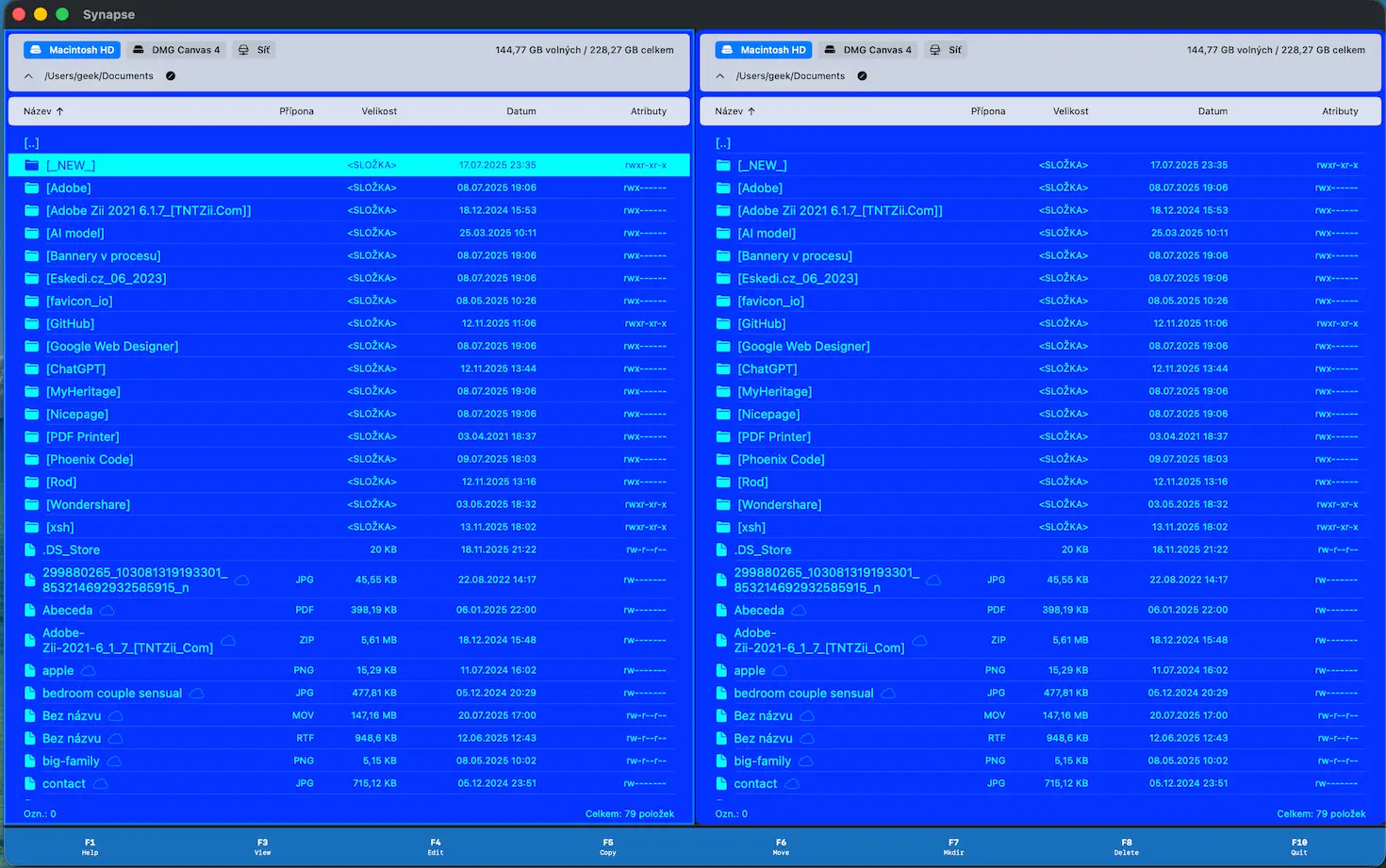
See source and destination together. Work with your keyboard. Keep the details in view.
Compare folders and move files without hopping through a stack of Finder windows.
Move the cursor, select files, and run common actions without losing your place.
Inspect a file before opening it and find what you need without breaking your flow.
Compare two locations, review differences, and bring them back into line deliberately.
Build repeatable names with numbering, replacement and a preview before applying changes.
Work with FTP, FTPS, SFTP, SMB and WebDAV alongside local folders.
Synapse gives every transfer a visible source, destination and progress state—whether you are tidying photos, shipping a build, or moving project assets to a server.
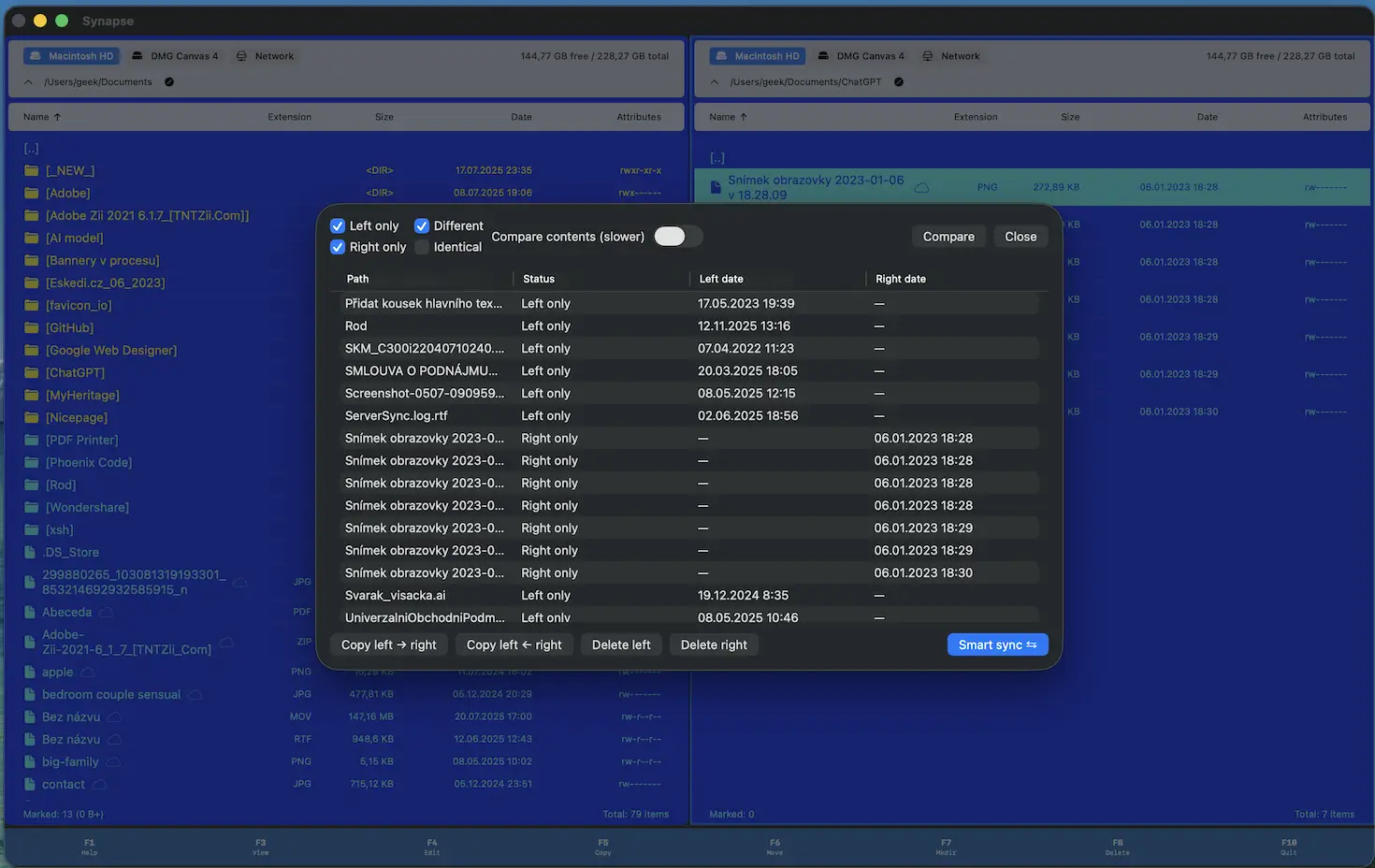
Synapse is distributed directly, so it stays focused on the Mac workflow rather than a marketplace compromise.
Start with the free trial, then choose yearly access or a perpetual license. Checkout is handled securely by Stripe.
Loading current prices…
Synapse requires macOS 13 Ventura or later and supports both Apple silicon and Intel Macs.
Yes. Download Synapse and use the 30-day trial before choosing a license.
After a successful Stripe payment, your key appears on the confirmation page and is sent by email. Enter it in Synapse to activate.
No. Your license is tied to the email used at checkout; there is no separate account to create.
Need help? Contact support.
Try Synapse free, then keep it with a license when it earns a permanent place in your workflow.
Download for macOS